Time Blocking for Remote Workers: A Weekly Calendar Template
Time blocking for remote workers works when the calendar protects focused work, groups meetings, and leaves enough buffer for a week that changes.

Compare project-management tools for freelancers by workflow, client access, free limits, paid costs, and the complexity you actually need.
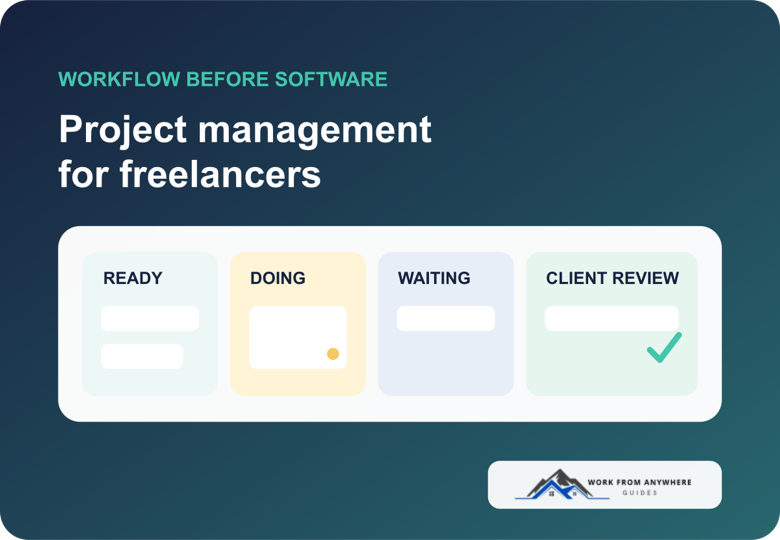
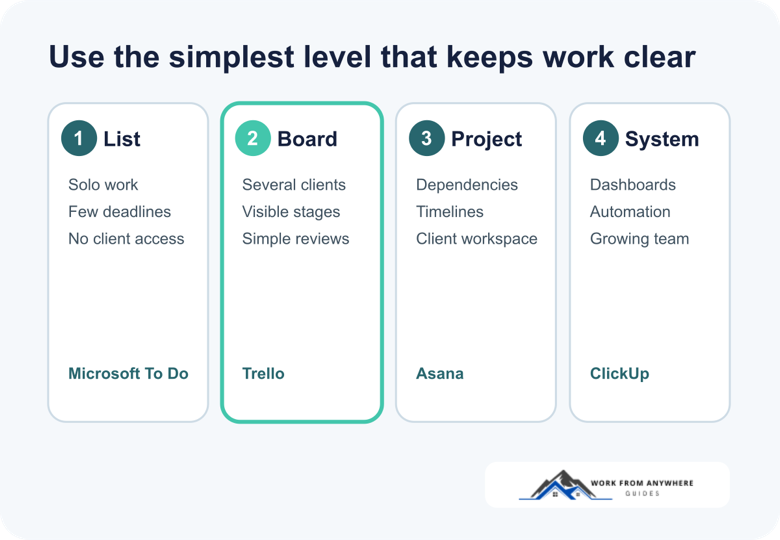
Use Microsoft To Do or Todoist when you mainly need a reliable personal list. Trello is the easiest step up when you want to see work move across a board. Asana suits freelancers who need structured client collaboration. ClickUp makes more sense when tasks, documents, forms, time tracking, and several client projects need to live together.
The expensive or feature-heavy option is not automatically better. A tool is useful only if you can open it on Monday, see what matters, and update it without turning project management into another project.
| Tool | Best fit | Useful free limit | Paid starting point |
|---|---|---|---|
| Microsoft To Do | Personal tasks and Outlook users | Personal lists, My Day, reminders, and list sharing with Microsoft accounts | No upgrade is needed for the core To Do workflow |
| Todoist | Fast personal planning across devices | Beginner: 5 personal projects | Pro: $7/month or $60/year |
| Trello | Visual client boards | 10 collaborators and 10 boards per Workspace | Standard: $5/user/month annually or $6 monthly |
| Asana | Structured work with one client or collaborator | Personal: up to 2 users, unlimited tasks and projects | Starter: $10.99/user/month annually or $13.49 monthly; paid plans have a 2-seat minimum |
| ClickUp | Complex projects and an all-in-one workspace | Unlimited tasks and members, with 60MB storage | Unlimited: $7/user/month annually or $10 monthly |
Prices and published plan limits were checked on August 19, 2026. Vendors can change them, and taxes or regional pricing may differ.
Before opening five free accounts, decide what the tool must show you. A solo freelancer usually needs four things:
If a list can handle that, keep the list. Move to a board when work passes through repeatable stages. Pay for a fuller project-management system only when client access, dependencies, forms, automation, reporting, or several project views save more time than they cost.
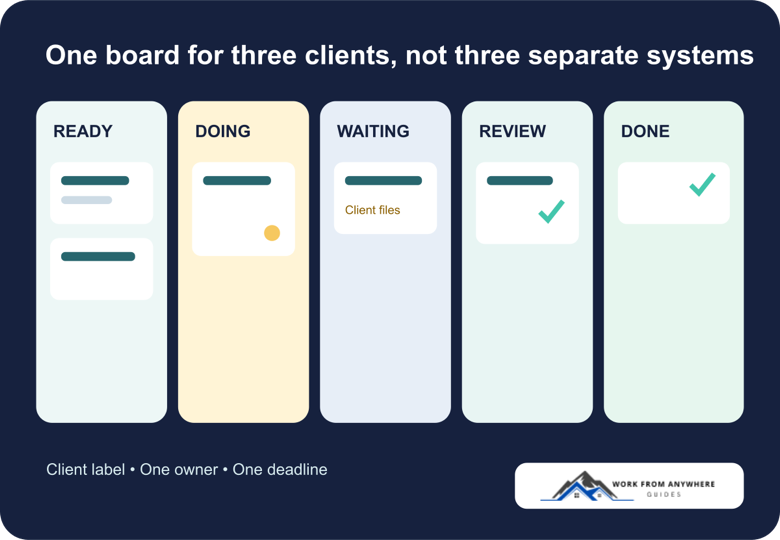
Imagine you have a website refresh, four monthly articles, and a recurring virtual-assistant retainer. You do not need a separate productivity theory for each client. Use the same fields everywhere:
Keep “waiting” visible. Client delays disappear inside a normal to-do list, then return as emergencies. A dedicated waiting column or label tells you what needs a follow-up and what should not consume today’s work block.
Your calendar still owns time. The task tool owns commitments and project state. Use the time-blocking guide for remote workers to protect the hours, and the weekly planning system for freelancers to decide what fits.
Microsoft To Do is the sensible starting point when you work alone and already use Outlook. My Day gives you a fresh daily view while unfinished tasks remain in their original lists. Flagged Outlook email can appear as a task, which is useful when client requests arrive through email.
You can share a list, but collaboration is deliberately simple. Microsoft says list sharing works between personal Microsoft accounts or accounts in the same work or education organization. That restriction makes To Do less suitable as a client portal.
Microsoft explains My Day and Outlook integration, while its list-sharing guide documents the account restrictions.
Todoist works well when the friction is remembering and sorting work, not managing a complicated delivery process. The Beginner plan allows five active personal projects. That may cover a small client load if you reuse labels carefully, but it becomes tight once every client needs a separate project.
Pro raises the personal-project limit to 300 and adds deeper reminders, calendar layout, task duration, deadlines, filters, and full activity history. The current standard price is $7 monthly or $60 per year. Do not pay for Pro only because five projects sounds small. First see whether the simple capture and daily-planning habit actually sticks.
See Todoist’s current pricing and feature comparison and its published project limits.
Trello is usually the easiest recommendation when work moves through visible stages. A writing project can move from brief to draft, client review, revision, and delivered. A developer can use backlog, ready, in progress, testing, and deployed. The board explains itself without a training session.
The free plan allows up to ten collaborators and ten boards per Workspace, with unlimited cards and Power-Ups. Standard costs $5 per user each month when billed annually or $6 monthly, and adds unlimited boards, advanced checklists, custom fields, and more automation.
A board becomes noisy when every small thought becomes a card. Keep active work visible and archive completed or paused items. Check Trello’s official plan limits and prices before inviting clients.
Asana gives you list, board, and calendar views on the Personal plan, along with unlimited tasks and projects for up to two users. That makes it useful for a freelancer working closely with one collaborator or client. Recurring tasks and project status updates also fit ongoing retainers.
Starter adds custom fields, forms, timeline and Gantt views, reporting, and automation. It costs $10.99 per user each month when billed annually or $13.49 monthly. Asana’s help documentation says paid subscriptions have a two-seat minimum, so a solo freelancer should calculate the real bill before choosing a paid feature.
Review Asana’s current plans and its subscription-size rules.
ClickUp combines tasks, boards, calendars, documents, chat, forms, goals, and other work features. Its Free Forever plan includes unlimited tasks and members, but storage is limited to 60MB. The Unlimited plan costs $7 per user each month when billed annually or $10 monthly and adds unlimited storage, integrations, custom fields, forms, Gantt charts, native time tracking, and permission-controlled guests.
That range is attractive if you are replacing several tools. It is a poor reason to move if your current board already works. ClickUp requires decisions about Spaces, Folders, Lists, views, fields, and permissions. Those choices can help a complex business or waste a quiet afternoon.
Check ClickUp’s current pricing page before upgrading the Workspace.
A shared workspace should reduce questions, not ask the client to maintain your system. Give clients access only to the project or board they need. Explain three things: where to review work, where to answer a blocking question, and what counts as approval.
Keep sensitive credentials, private notes, other clients’ names, and internal pricing out of shared views. A task tool is not automatically the right place for passwords or confidential source files. The client communication guide includes kickoff, update, delay, and scope-change language that works alongside the board.
If your estimates are consistently wrong, connect the workflow to a freelancer time-tracking tool for a week. Before committing the schedule, use the freelance project calculator to check whether the hours, costs, buffer, and target profit fit the price. The point is not to monitor every minute. It is to learn whether the work fits the price and deadline you agreed to in the freelance proposal.
Start with one active week, not a permanent migration. If the tool makes deadlines, blocked work, and client reviews clearer by Friday, keep it. If you spent more time arranging the system than using it, step down to a simpler list or board.



Time blocking for remote workers works when the calendar protects focused work, groups meetings, and leaves enough buffer for a week that changes.

Async communication should help remote teams protect focus, make decisions clearer, and stop treating every Slack message like an emergency.

AI went from party trick to everyday tool faster than almost anything else in tech. If you work remotely, it can genuinely save you hours a week. It can also waste your time, embarrass you, or leak something you didn't mean to share. The trick is knowing which is which. Here's where AI actually earns its keep for remote work, where it doesn't, and how to use it without creating a mess.
Leave a Reply
Comments
Great article, that was very informative, I am using trello and its working greate, I think I might try asana sooner or later.
thanks