Time Blocking for Remote Workers: A Weekly Calendar Template
Time blocking for remote workers works when the calendar protects focused work, groups meetings, and leaves enough buffer for a week that changes.

Time management for remote workers works best when your day has clear priorities, focused work blocks, realistic breaks, and a firm shutdown time.

The first mistake remote workers make is treating the to-do list like a plan. It is not. A list can hold twenty things. Your day cannot.
Before you open Slack, email, or your project tool, choose the three things that would make the day successful. One should be the main piece of work: the thing that needs real focus and would be painful to push again. The other two can be smaller, but they should still matter.
A useful daily plan looks like this:
That is enough structure to keep you honest without pretending you can control every minute.
Time blocking works well for remote work because it gives your day a shape. The problem is that people often make perfect calendars that collapse by 10:30 a.m.
Keep the blocks simple. Use one or two deep-work blocks, one communication block, one admin block, and a real lunch break. Add buffer time between calls and focused work. Remote work has invisible transitions, and your brain still needs them.
Here is a practical template:
You do not need to copy those times. The point is to decide what each part of the day is for before other people decide it for you.
Remote workers lose a lot of time in tiny interruptions: a message here, a tab there, a quick household task that turns into twenty minutes. The fix is not more discipline. It is making focus harder to interrupt.
Pick one block each day where you do one important thing with notifications off. Put it on your calendar if other people can book your time. Tell your team when you usually check messages. Keep the block short enough that you will actually do it. Ninety minutes of real focus beats four hours of pretending.
The Pomodoro Technique can help when you are avoiding a task or when the work feels too large to start. Set a timer for 25 minutes, work on one task, take a short break, then repeat.
But do not force every kind of work into 25-minute chunks. Writing, coding, research, design, and strategy often need longer stretches. For deeper work, try 50 minutes on and 10 minutes off, or one 90-minute block with a proper break afterward.
If you answer every message as soon as it arrives, your schedule belongs to everyone else. That is one reason remote workers can feel busy all day and still finish very little.
Check messages at set points unless something is genuinely urgent. For example: once mid-morning, once after lunch, and once before shutdown. If your team expects instant replies, agree on what counts as urgent and what can wait.
This is especially important across time zones. You should not have to hover online all evening just because someone else is starting their morning.
Remote work makes it easy to keep going because the office is always there. That does not mean the extra hour is useful. Often it is just tired work in a different tab.
A shutdown routine gives your day a clean ending. Spend the last 10 to 15 minutes doing three things:
This small habit reduces the feeling that everything is still open in your head.
Tools can help, but they will not fix a messy day by themselves. A simple setup is usually enough: a calendar for time blocks, a task manager for priorities, and a notes app or document for decisions and context.
Use Trello, Asana, Todoist, Notion, ClickUp, Google Calendar, or whatever already fits your work. The tool matters less than the rule: tasks go in one place, meetings go in the calendar, and important decisions do not disappear into chat.
Most time-management problems are not caused by laziness. They come from unclear boundaries and too many open loops.
Fix one of these at a time. You do not need a perfect productivity system. You need fewer ways for the day to leak away.
Good time management for remote workers is not about filling every minute. It is about giving your best attention to the work that matters, leaving room for normal life, and ending the day without feeling like you are still half-working.
Start with one clear priority, one protected focus block, and one shutdown routine. That is enough to make tomorrow feel less scattered.


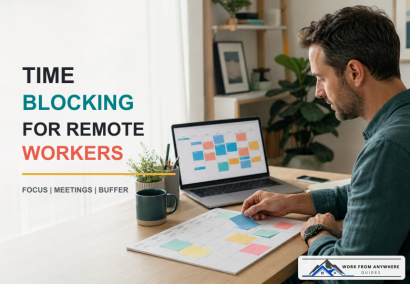
Time blocking for remote workers works when the calendar protects focused work, groups meetings, and leaves enough buffer for a week that changes.
Async communication should help remote teams protect focus, make decisions clearer, and stop treating every Slack message like an emergency.
AI went from party trick to everyday tool faster than almost anything else in tech. If you work remotely, it can genuinely save you hours a week. It can also waste your time, embarrass you, or leak something you didn't mean to share. The trick is knowing which is which. Here's where AI actually earns its keep for remote work, where it doesn't, and how to use it without creating a mess.
Leave a Reply
Comments
Hello there! This blog post couldn't be written any better!
Reading through this post reminds me of my previous roommate!
He always kept preaching about this. I'll send this
post to him. Fairly certain he'll have a good read. I appreciate you for sharing!
You could certainly see your expertise in the article you write.
The arena hopes for more passionate writers like you who aren't afraid to mention how they believe.
All the time go after your heart.
I know this website presents quality dependent content and additional material, is there any
other site which presents these kinds of data in quality?
I always spent my half an hour to read this website's articles all the time along with
a mug of coffee.
We stumbled over here different website and thought I may as well check
things out. I like what I see so now i'm following you.
Look forward to going over your web page yet again.
I do believe all the ideas you have presented for your post.
They're really convincing and will definitely work.
Nonetheless, the posts are too short for beginners.
May just you please prolong them a bit from
subsequent time? Thanks for the post.