How to Set Up an Ergonomic Home Office

Blog Intro

It is now common for many people to work from home, but making a comfortable and efficient workplace can be problematic. An ergonomic home office set-up helps not only to increase productivity but also reduce health risks such as bad posture and long hours sitting. Below are tips on how to establish an ergonomic home office.
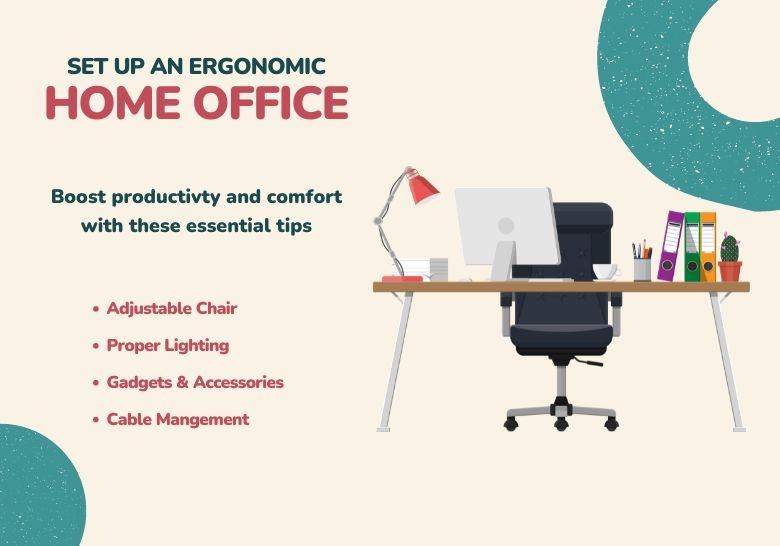
Image
Office setup

1. Choosing the Right Chair and Desk

The Chair:
  • Adjustability: Look for a chair with adjustable height, backrest, and armrests to get a snug fit.
  • Lumbar Support: Your lower back should be well supported by the chair to ensure you maintain the real curves in the spine.
  • Seat Depth and Width: The seat shall be wide and deep to accommodate you comfortably. Make sure that there is a small gap between your knees at the back and the edge of the seat.
  • Material: Breathable, comfortable material that wicks away your sweat and helps in keeping you cool and supported all day long.
The Desk:
  • Height: The desk should be at the level where your arms are bent at an angle of 90 degrees while typing. Wherever possible, go for adjustable desks, as that will help you switch between sitting and standing.
  • Surface Area: It should provide adequate space to accommodate the computer, monitor, and other essentials without requiring extra surface area.
  • Stability: It should provide adequate space to accommodate the computer, monitor, and other essentials without requiring extra surface area.

2. Importance of Good Lighting

Natural Light:
  • Placement: The desk should be next to a window to let in some natural light. It's known for its mood and productivity booster.
  • Avoid Glare: Ensure the light doesn't cause any glare on your screen. Hang blinds or curtains to diffuse the hard fall of the sun's rays.
Artificial Lighting:
  • Task Lighting: Provide your workspace with a desk lamp that has adjustable brightness for focusing light at one place.
  • Ambient Lighting: The room should be well-lit to avoid straining of the eyes. Warm, diffused lighting should be used for comfort.

3. Cable Management Solutions

Cable Organizers:
  • Cable Ties and Clips: Organize and route your cables using cable ties and clips.
  • Cable Management Boxes: With the aid of cable management boxes, several power strips and extra cables can be hidden from view.
Under-Desk Solutions:
  • Cable Trays: Installing cable trays under your desk will help in keeping the cables off the floor.
  • Grommets: Desk grommets will route the cables through your desk neatly.

4. Recommended Gadgets and Accessories

Monitor Stands:
  • Monitor Height Adjustment: The monitor can be adjusted to medium height with the help of monitor stands or adjustable arms to keep the monitors at eye level to decrease strain in the neck.
  • Dual Monitors: In case you are using dual monitors, orient them at equal heights.
Keyboard and Mouse:
  • Ergonomic Keyboard: Go for a keyboard that keeps your hands in natural, ergonomic positioning to prevent straining.
  • Ergonomic Mouse: Ergonomic mouse reduces the risk of repetitive stress injury by providing hand positioning.
Footrests:
  • Support: Keep your feet on the floor or use a footrest to support your lower back.
Document Holders:
  • Placement: Use a document holder to keep documents at eye level, preventing neck strain from looking down.
Conclusion

Creating an ergonomic home office is a surefire way to sustain productivity and health levels while working from home. A workspace geared towards compatibility with your well-being and efficient work can be specially set up with the right choice of chair, desk, good lighting, efficient cable management arrangements, and other accessories for ergonomics. This investment in time and resources in your setup will give you a manifold return in increased comfort and better productivity levels in the long run.

Have you set up your ergonomic home office? Share your tips and favorite gadgets in the comments below!

Share this
Written by

Shammas ul haq

Hello there, my name is Shammas, and I've been working remotely for over six years now. I'm going to share some tips and tools and experiences with you that can really help you navigate through this flexible working environment. Join me at Work From Anywhere Guides as we go through into the future of work, productivity hacks, and strategies behind maintaining a great work-life balance.

Leave a Reply

Restricted HTML

  • Allowed HTML tags: <em> <strong> <cite> <blockquote cite> <code> <ul type> <ol start type> <li> <dl> <dt> <dd> <h2 id> <h3 id> <h4 id> <h5 id> <h6 id>
  • Lines and paragraphs break automatically.
  • Web page addresses and email addresses turn into links automatically.

Comments